
Platforms: Steam, Oculus
Project Duration: 1.5 years
Tools Used: Unity3D 5.6/2017, Unity Analytics, Visual Studio, Photon Networking, SourceTree/BitBucket
Languages Used: C#, HLSL
Project Summary
oVRshot is a player vs player archery virtual reality game published for the HTC Vive and the Oculus Rift using Unity3D and Photon networking.
It currently features two game modes, three maps, class system, bots and skill based matchmaking.
When we began the project we set out to make something that didn’t yet exist, there were many VR archery games already, but none of them player vs player.
My original vision was an Unreal Tournament like game mostly focused on team deathmatch and pickups, we soon found out that wasn’t very fun.
We then moved to a class based system with faster dash teleporting and smooth locomotion options.
Here is a full match gameplay video to show how the game really plays.
My goals for the project
- Learn about VR development in Unity3D.
- Learn about rendering optimization for both VR and normal games.
- Learn more networking design.
- Learn how to design without direct reference to specific ways of solving certain issues.
- Learn more about 3D level design for VR.
My work on the project
- Bow and arrow mechanics designed and programmed.
- Hit detection system designed and programmed.
- Demolition and king of the hill game modes programmed by me, designed by the whole team.
- Early gameplay design and in level powerup pickup and pooling system.
- Explosive, split and dome shield arrows.
- Helped design match making and its UI with the rest of the team.
- Double FSM bots created by me, designed by me and my co-programmer.
- Code and rendering optimization for several months.
- Analytics and data gathering.
- Helped design VR locomotion systems.
- Helped with level design.
- Created a destruction system and other interactive props
Bow Mechanics
- Similar mechanics to nVidia Funhouse allowed the arrow to be moved up and down without the bow following while still following side to side. Reason for this approach was personal preference and players seem to like it as well.
- It gave large haptic ticks in the arrow hand while drawing the bow, but nothing while holding it still, there were also smaller haptics in the bow hand to make the player feel like they are dragging an arrow along the bow.
Gamemodes
When I made gamemodes I did the networking at the same time as at that point making networked code had become second nature and worked well within only a few max player tests. We often tested everything with the maximum amount of players possible, since a lot of bugs happen then.
Deathmatch
- Made as a simple prototype mode to test with.
- First player to ten kills won.
- Supported up to four players.
- Featured respawns.
Demolition
- First production game mode.
- One team needs to blow up a bomb within a certain amount of time, while the other has to prevent them from doing so before the time ran out.
- Received great feedback from testing done by nearly 1000 players during conferences and meet ups we attended while developing.
- Due to all the testing we changed the mechanics and the maps quite often and got a lot of feedback to work with in terms of balancing and squeezing as much fun as possible out of the game.
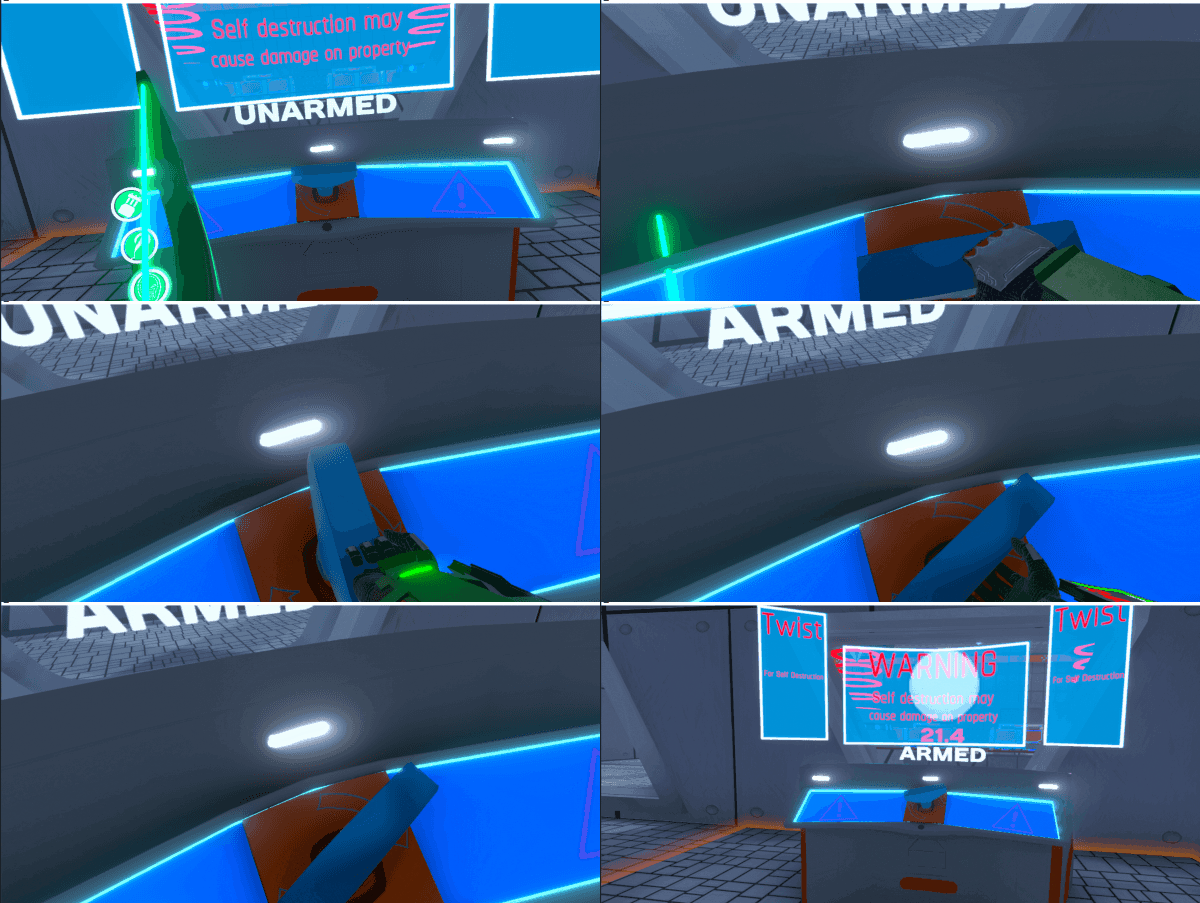
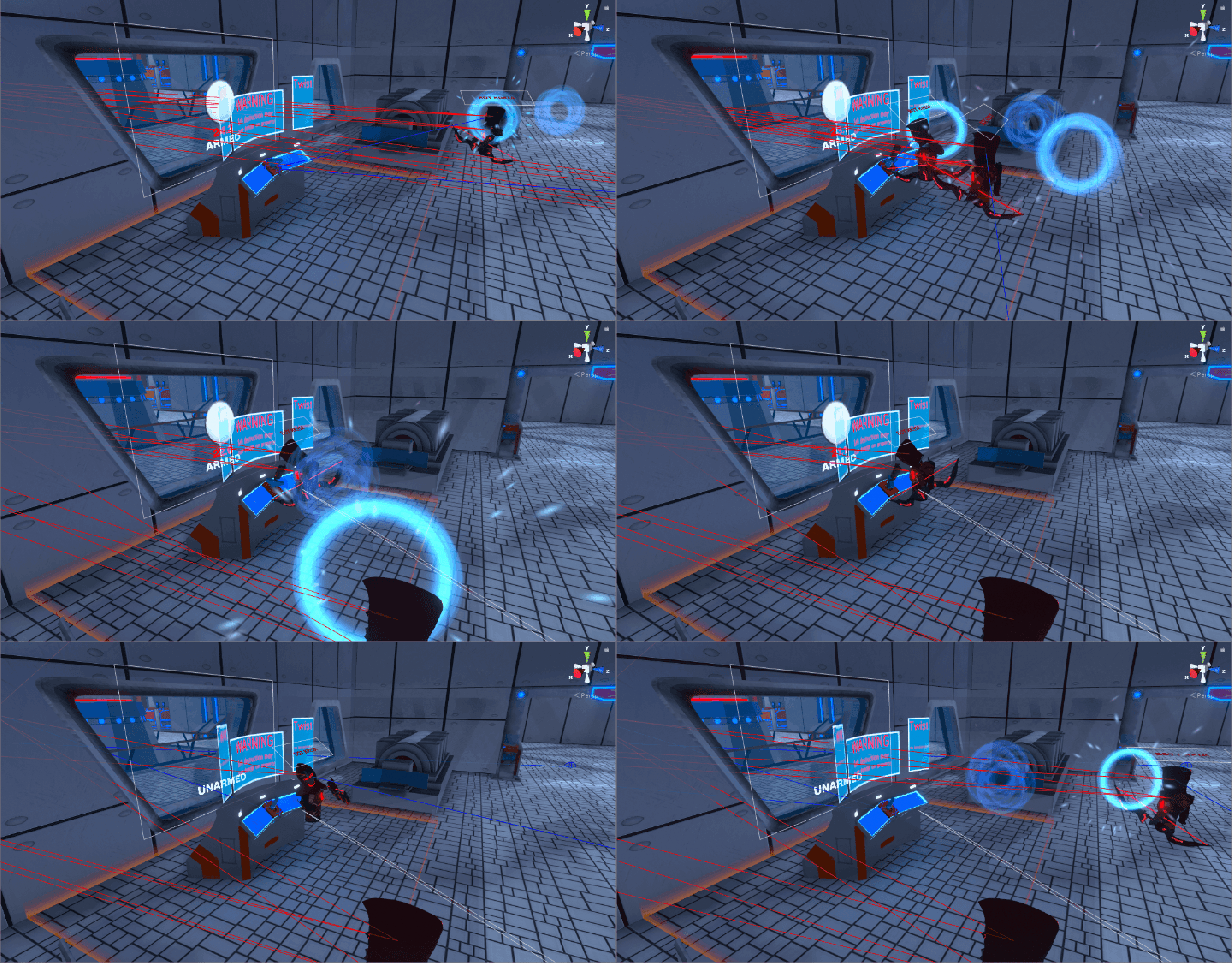
- The bomb had to be interacted and rotated in a certain direction until it was armed, this created a more interactive system for doing the objective and require some concentration.
- Features respawns.
King of the Hill
- Made as a more beginner friendly alternative to demolition to show the game of more easily without having to tell the players everything directly.
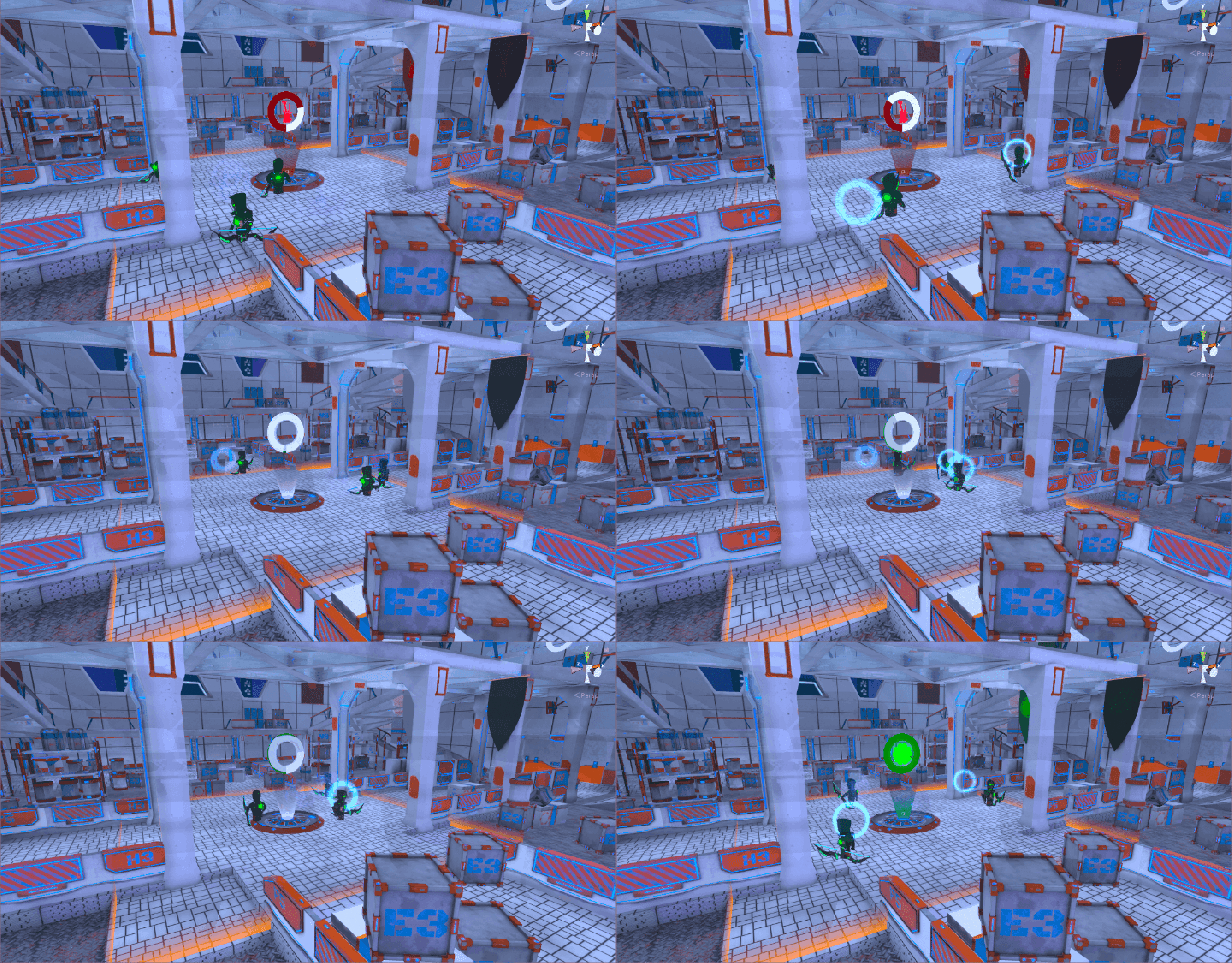
- Has a primary and two secondary capture points.
- Primary grants X amount of score per second to the team that holds it and no score to the opposing team.
- Secondary points periodically activates with a random interval, once captured they gave the team a closer spawn point and cannot be recaptured by the opposing team until it deactivates and re-activates again.
- The forward spawns were made to give winning players a choice between defending what they have or to try getting an even larger upper hand. It was made to give losing players an easier way to catch up, by giving them the choice of getting a closer spawn and thus more easily capturing the primary point.
- Overtime would come into play if one team reaches 99 score while the opposing team has > 50 score. The losing team would then get X amount of seconds to retake the primary point to get back into the lead.
Double FSM Bots
We launched bot support only three weeks into their development, which also only began after launch. Me and my co-programmer designed them together, but I created all the code from scratch. They had an independent state machine for their movement and their attack systems. We received good feedback and both we and the players liked playing against them.
Main Bot Features
- Compatible with all game modes.
- Objective oriented, even with secondary objectives in king of the hill.
- Dynamically changed their priority for attacking depending on distance to target.
- The bots would hit or miss depending on a counter, so they would for example hit on a random shot count between 2 and 5 which gave us a direct hand in the accuracy and predictability of the bot attack system.
- Systems for reacting to enemies out of sight.
- Flanking systems.
- Flexible difficulty system that could be edited without a programmer.
- System for making bots take detours at times to make them less predictable on higher difficulties.
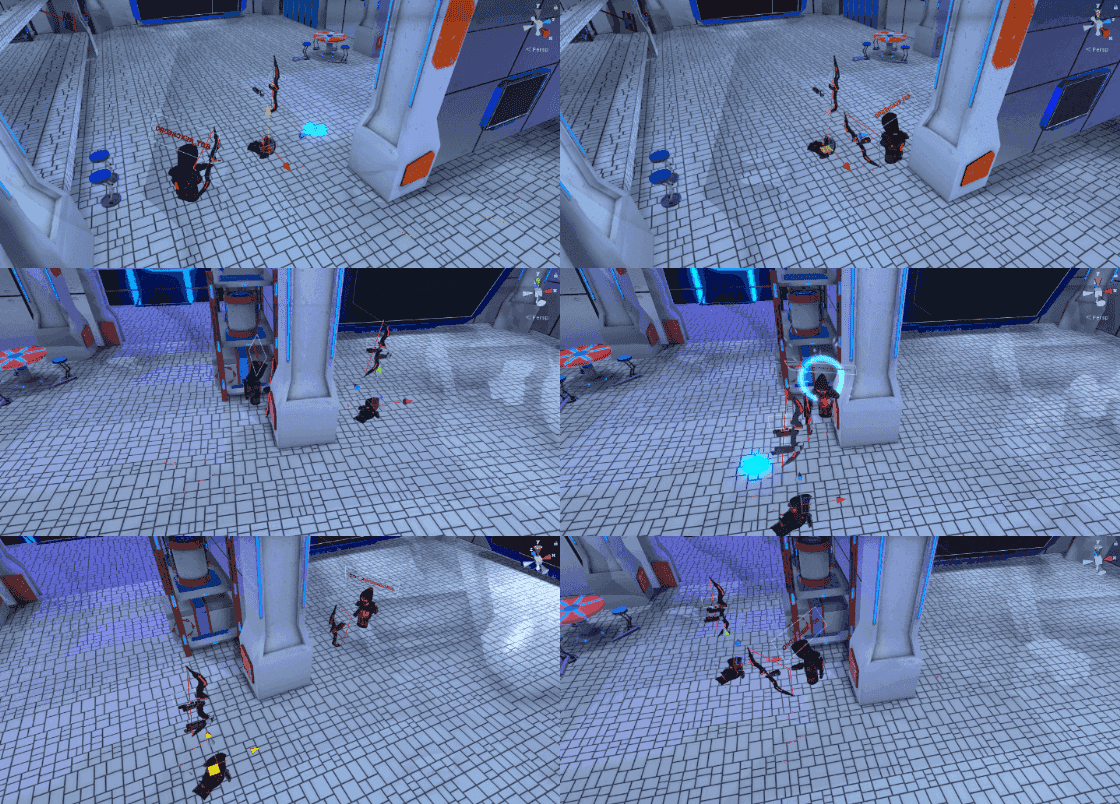
The flanking and attack system is tunable by a designer without doing any code so you can make bots flank in at a larger distance depending on difficulty or have them stop entirely while attacking and close enough.
Analytics
- Made utilizing the built in Unity analytics system.
- Data was gathered in a way to make it easy to visualize using the built in visualization tools in the Unity Analytics dashboard.
- We gathered gameplay, settings and match data like:
- Objective usage in game modes
- Player gameplay class usage
- Voice chat usage frequency
- Performance
- Locomotion settings
Locomotion Systems
We began the project using arc teleportation where a player would point and move.
After about six months into development we realized this was bottlenecking the game’s pace and thus reducing the fun factor by a lot. We then started experimenting with a dashing or flick to move rather than a deliberate point to move.
This allowed players to move with ease and to the pace of the game rather than having to think, aim and let go of the joystick. This method allowed players to simply click the trackpad or flick the joystick in a direction and they would get teleported X meters in that direction.
Due to player feedback we also decided to include smooth locomotion two weeks before launch.
Level Design
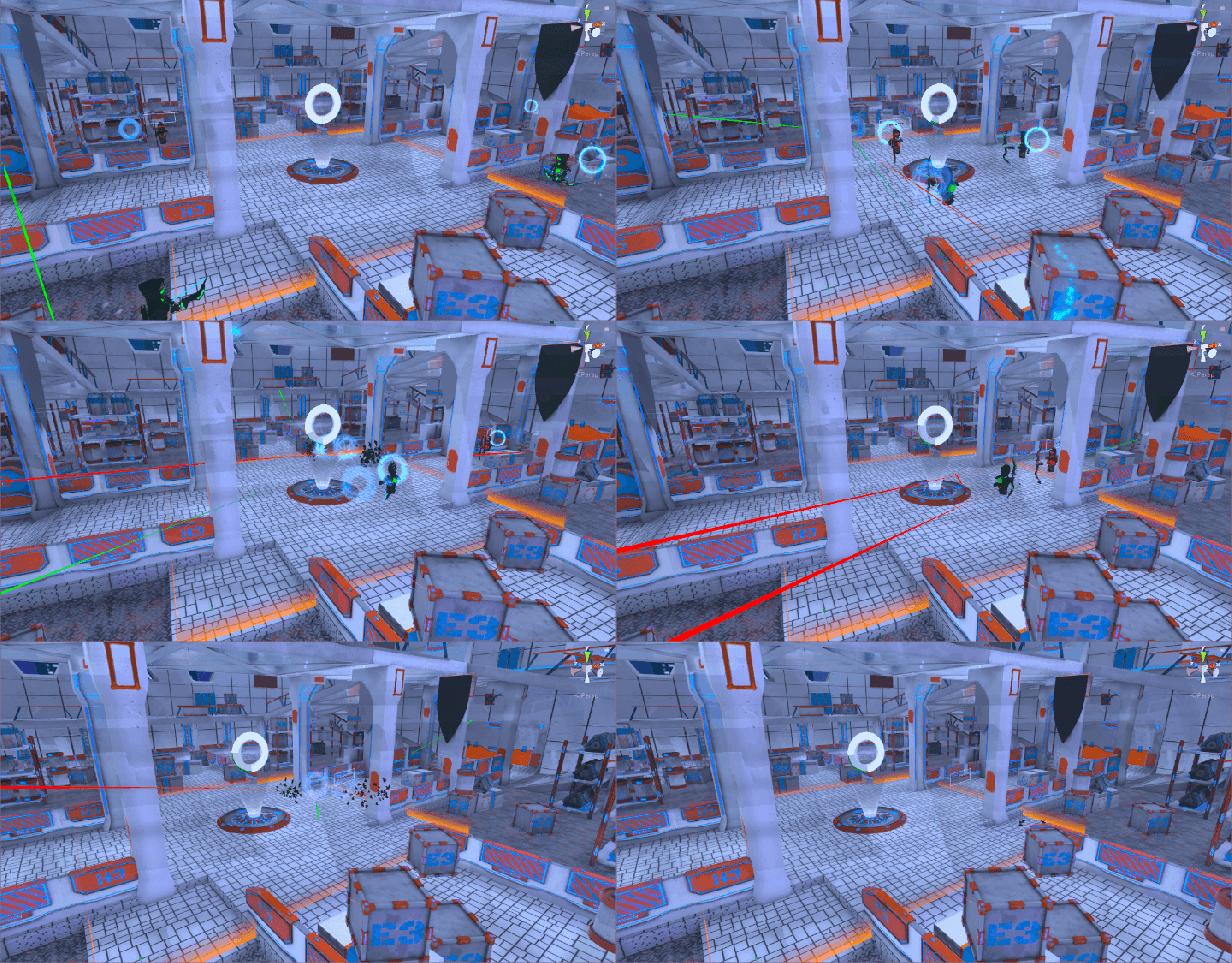
I helped out with level design on all our maps. I did work on our launch map to make the movement paths more clear and adding more shot blockers to make sure that players wouldn’t get killed straight out of spawn as often. I made some maps myself, but they were cut before launch.
Optimization
About mid project I began doing some optimization on rendering.
Ways I optimized the rendering
- Helped our artist plan out his atlasing.
- Made our artist aware of how the built in automatic batching system in Unity work so he could create around that.
- Made sure maps were more occlusion culling friendly without compromising on the quality of the map.
- Optimized collision detection and physics layers.
- Created custom shaders that are lighter.
- Made sure certain models and LODs used mobile or lighter shaders without compromising much on quality.
- Created culling groups for use with dynamic objects that don’t move far, such as physics based chairs.
Destruction System and interactive props
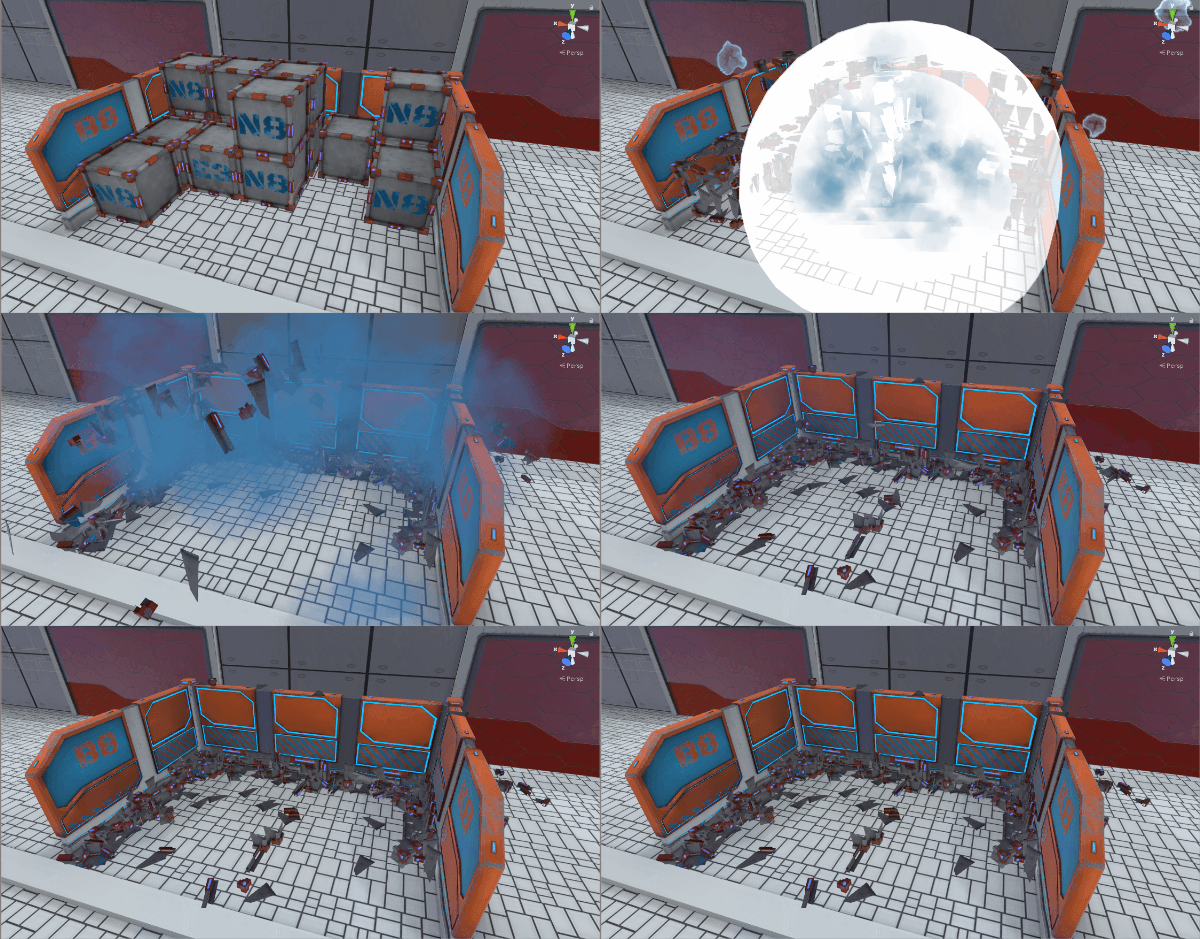
oVRshot includes a destruction system where certain props/cover can be destroyed by explosives. This worked fast and well for our purposes and it made all our maps much more dynamic feeling. They also looked really cool.
We wanted to give the levels a bit more life, therefore we began adding hinge joints to props that supported it. This mean’t that a player cloud push locker doors open, push chairs and monitors around using their hands or by shooting at them.
 Mikkel Andresen