Platforms: Google Play Store and App Store
Project Duration: 5 weeks
Tools Used: Unity3D 5.5, Visual Studio, Notepad++, PHPLiteAdmin, SourceTree/BitBucket
Languages Used: C#, PHP, SQL
Project Summary
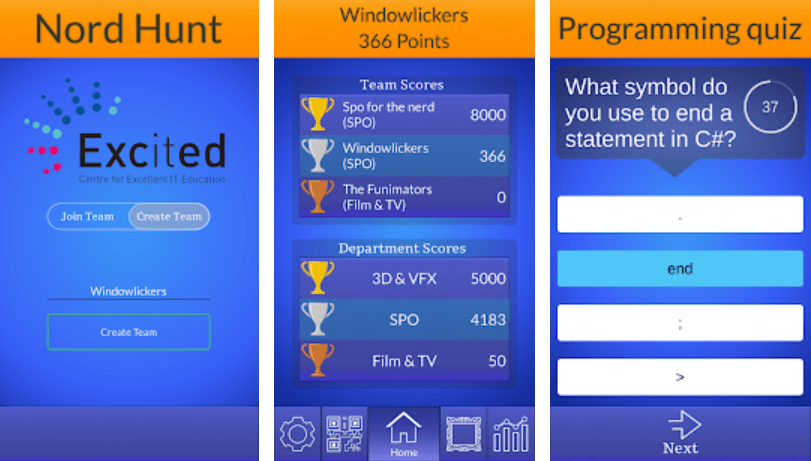
Nord Hunt is a team based competitive game made to familiarize students with the Nord University campus through location based mini games. It was published on Android and IOS, it was made to be event based so it can only be played by students at a certain time like the introduction weeks at Nord University.
The teams were divided into three departments that are based on existing departments at Nord University, there were multiple teams per department.
At the end of the introductory weeks the team with the most score would be awarded prizes.
Nord Hunt features an anagram, quiz and a clicker mini game.
There was also a AR based collectible game. Both the anagram and the quiz involved the entire team while the AR collector and clicker were singleplayer.
My goals for the project
- Create a fast and smooth menu system with touch controls that works on all touch based devices
- Create a meaningful game system utilizing AR features
- Network game features using an SQL database and Unity
- Learn to use QR codes with Unity
- Create a data gathering system using SQL and PHP, with requirements of what data to gather from our contractor who would then use the data for research
My work on the project
- Implemented a QR scanning system to play mini games with customizable variations using arguments.
- Created the quiz game which automatically created all the UI needed from prefabs for quizzes stored on the SQL database.
- Created the AR collector game using an AR plugin for Unity.
- Created a data gathering system using SQL and PHP, the data was then used to do research.
- Created the main menu system for switching between views. These views were, team scores, QR scanner, collected AR items and team info.
QR Game Starting System
- All minigames were started by scanning a QR code printed out on a piece of paper.
- The code included info about which mini game and which variant of the game, so it could be a quiz type, with a library theme.
- Players would find the scanner by swiping to the scanner view in the main screen.
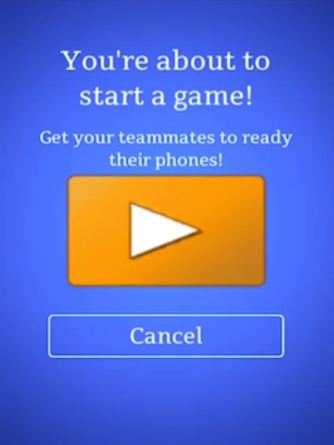
- After scanning the code, a game would automatically begin and send a notification to other members of the team that they can also do the same game, even without them also scanning the code.
- Players could not scan the same game over again to farm extra score.
Quiz Game
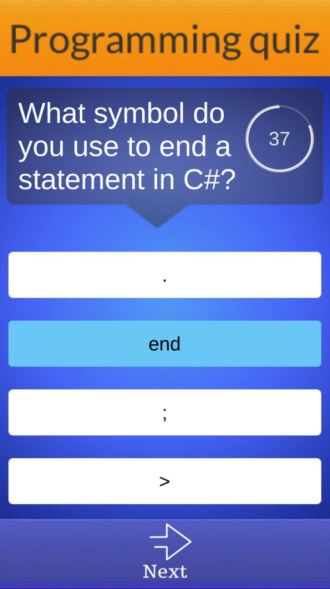
- Game begins by scanning a QR code with information on which quiz to use.
- Load the quiz from database and generate UI from the data.
- Quizzes were made by another developer using excel, then put onto the database to be pulled by the app.
AR Collecting Game
- Game made to make players/students more familiar with the faculty at Nord University.
- Once a player found a picture of a person of the faculty, they would scan it to get an AR representation of the picture with more info about their field, office location and name.
- All collected items gave score per player, so it paid off to tell every member of the team where to find each member of the faculty included in the game.
- The collected items could be viewed in the statistics page of the main screen.
Data Gathering and Analytics
- Gameplay data was gathered from each minigame.
- Data on teams sizes and their respective participation in the various games.
- Gathered locally then sent to the SQL database at the end of each game session using PHP.
Main Screen
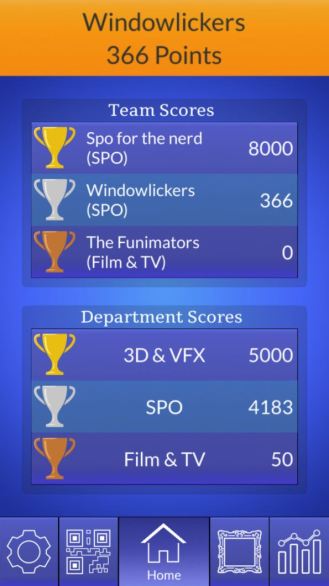
The main screen was divided into four different views. Players could swipe between them or click on a button at the bottom of the screen to instantly go to a specific view.
The views included:
- Team info view, had the names of the members and the code for joining
- Main view where players could see all the top teams, who is winning and what scores they all have.
- QR scanner view where players could scan QR codes and begin the games if they hadn’t already been completed.
- Statistics page which showed how many of the existing mini games had been completed by the player and how many of the AR collectibles the player had collected.
 Mikkel Andresen